
Bottom line up front: Midjourney delivers stunning, photorealistic product images with almost no setup—perfect if you want beautiful shots fast. Leonardo AI gives you deeper editing tools, custom model training, and a free tier that makes it the smarter pick for teams managing large catalogs or tight budgets. Neither tool is universally better. The right one depends on how you sell.
If you’ve ever paid for a product photoshoot and cringed at the invoice, you already understand why AI image generation has become a serious option for e-commerce sellers. What used to take a studio, a photographer, and several editing rounds now takes a well-crafted prompt and a few seconds of compute time.
Two platforms lead this space for product imagery: Midjourney and Leonardo AI. Both are powerful. Both are widely used. But they’re built on different philosophies—and those differences show up directly in your product listings, your ad creative, and your workflow.
This guide breaks down everything you need to know to make the right call for your store.
Why Product Photography Still Make or Break E-Commerce Sales
Before we compare tools, it’s worth grounding the conversation in stakes.
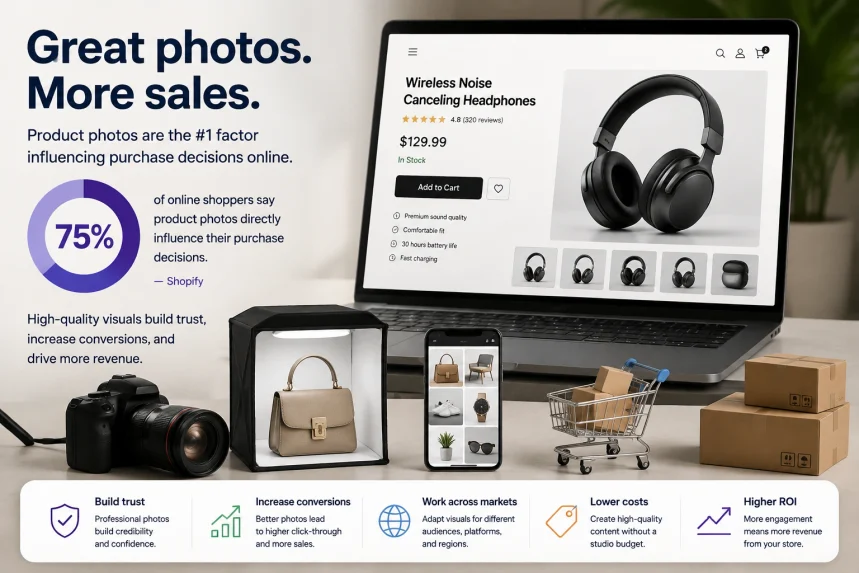
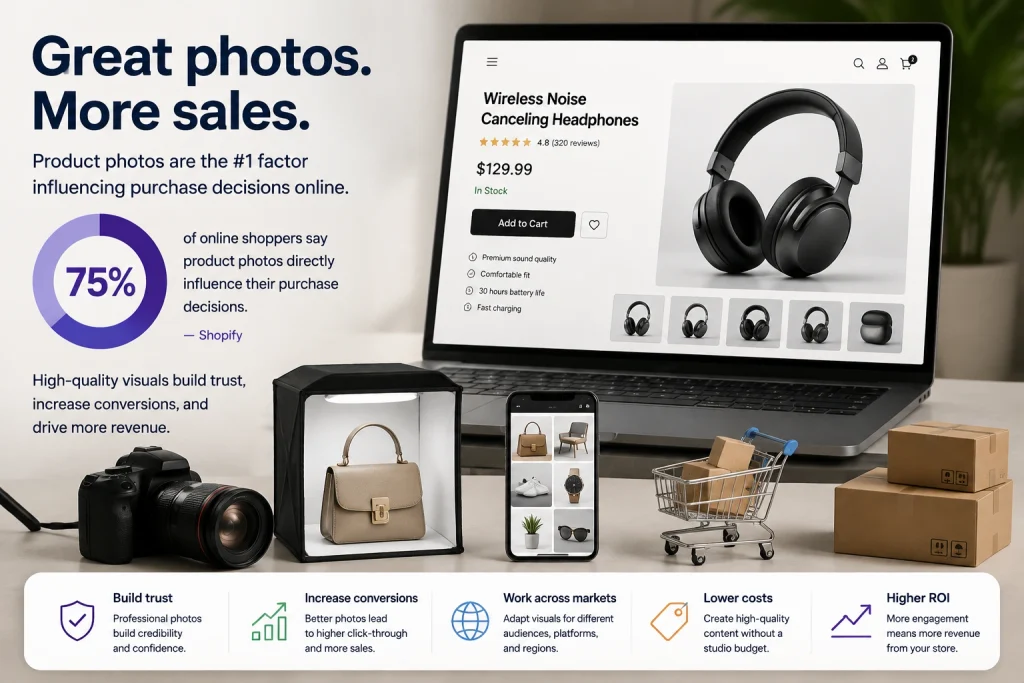
According to research highlighted by Shopify, roughly 75% of online shoppers say product photos directly influence their purchase decisions. That number alone explains why brands spend aggressively on visual content—and why AI-generated imagery has become so appealing.
The value proposition is clear: generate professional-quality product visuals on demand, test different styles quickly, localize shots for different markets, and do it all without a studio budget.
But “AI product photography” covers a wide range of quality. The tool matters. So does how you use it.
What Is Midjourney?
Midjourney is a generative AI image platform that launched in 2022 and quickly set the bar for visual quality in AI-generated art. Its reputation rests on one thing: producing images that look genuinely beautiful, often with very little prompting effort.
Originally Discord-only, Midjourney now also operates through a web interface at midjourney.com, which has made it far more accessible to non-technical users.
What Midjourney Does Well for Product Shots
- Photorealistic rendering out of the box. Model versions V6 and beyond handle lighting, reflections, material textures, and depth of field with impressive accuracy—exactly the qualities that make a product look credible on a listing page.
- Style reference tools. The
--srefparameter lets you lock in a visual style across multiple images, helping sellers maintain consistency without regenerating from scratch each time. - Low-effort results. Even basic prompts produce polished outputs. You don’t need to be a designer or a prompt engineer to get something usable.
- High-resolution upscaling. Midjourney’s upscaling options produce images large enough for full-size product listings and print-ready marketing materials.
Where Midjourney Falls Short
Midjourney is a “prompt and refine” tool. You describe what you want in text, iterate, and zoom in on the best result. What you can’t do easily is open an image and surgically edit one region—swap a background, fix a label, or adjust the placement of a shadow. For that level of control, you’ll need a separate editing step.
What Is Leonardo AI?
Leonardo AI launched as a platform designed for production-scale creative work. While it gained early traction with game developers, it has since become a serious tool for e-commerce teams, marketing agencies, and brand designers who need repeatable, controllable image output.
The platform runs entirely in-browser at leonardo.ai, with a feature set that goes well beyond simple text-to-image generation.
What Leonardo AI Does Well for Product Shots
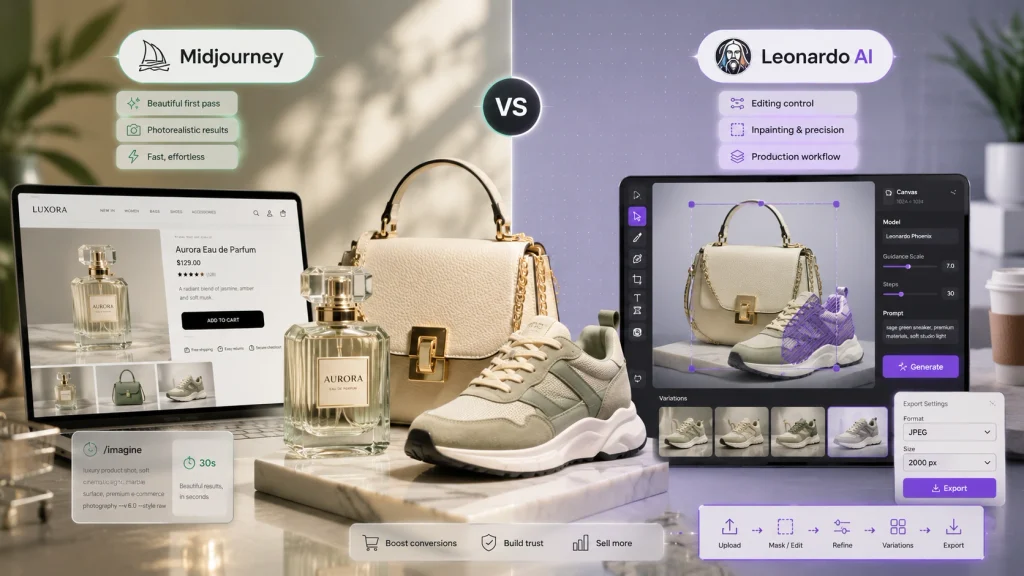
- Canvas editor with inpainting. You can select specific areas of a generated image and reprompt just that region—swap backgrounds, refine edges, fix product details—without touching the rest of the shot.
- Custom model training. Upload images of your actual products and train a fine-tuned model that generates new visuals consistent with your real-world items. This is a major advantage for sellers who need catalog-wide visual consistency.
- Granular generation controls. Adjust prompt strength, guidance scale, and element weighting to steer the output more precisely than text alone allows.
- Free daily tokens. Leonardo AI’s free tier refreshes daily, giving sellers a genuine way to test the platform before committing to a paid plan.
Where Leonardo AI Falls Short
More control means more complexity. New users face a steeper learning curve than Midjourney, and the sheer number of settings can be paralyzing early on. The raw “out of the box” realism also tends to lag slightly behind Midjourney’s best outputs—though careful model selection and prompt tuning close that gap considerably.
Midjourney vs Leonardo AI: Direct Comparison for E-Commerce
Image Realism and Quality
For pure, first-pass photorealism, Midjourney leads. Its models consistently handle the visual cues that matter most in product photography—directional light, specular highlights on glass or metal, fabric grain, shadow softness. The results feel cinematic in a way that’s hard to achieve without deliberate effort in competing tools.
Leonardo AI’s photorealism models are genuinely strong, and with the right settings they can match Midjourney closely. But “with the right settings” is the operative phrase. Expect to spend more time dialing things in before you hit that ceiling.
Winner for image realism: Midjourney
Ease of Use
Midjourney is faster to start. Open the web app, write a prompt, get four options. Iterate. Done. For sellers who want results in minutes without a learning investment, that simplicity is the whole point.
Leonardo AI rewards users who prefer clicking and adjusting over writing long text prompts. Its interface resembles design software more than a chat window, which makes it intuitive for people who already use tools like Adobe Photoshop or Canva.
Winner for ease of use: Midjourney for beginners; Leonardo AI for visual thinkers
Customization and Editing Control
This isn’t close. Leonardo AI’s canvas editor, inpainting tools, and custom model training give it a level of post-generation control that Midjourney simply doesn’t offer natively. If you need to iterate precisely on a generated shot—adjusting a background, cleaning up edges, or ensuring a product’s shape is accurate—Leonardo AI is the better environment.
For sellers managing catalogs of 50, 100, or 500+ SKUs, the ability to train a model on your actual products and generate new scenes around them is a significant workflow advantage.
Winner for customization: Leonardo AI
Pricing
Midjourney is subscription-only, with plans starting around $10/month for the Basic tier. There is no free plan. Higher tiers unlock faster generation and more monthly usage. Check Midjourney’s current pricing before committing, as tiers and prices have changed over time.
Leonardo AI offers a free tier that refreshes daily with new tokens—enough to seriously evaluate the platform. Paid plans typically start around $10–$12/month and unlock higher usage limits, priority generation, and commercial licensing features. See Leonardo AI’s pricing page for up-to-date details.
Winner for pricing flexibility: Leonardo AI
E-Commerce Use Case Fit
Midjourney is the stronger choice for:
- Lifestyle and hero shots where emotional impact drives clicks
- Ad creative that needs to feel aspirational and polished
- Sellers who need great images fast with minimal technical overhead
Leonardo AI is the stronger choice for:
- Large product catalogs requiring visual consistency across all SKUs
- Teams that need in-platform editing to refine or correct generated images
- Brands training custom models on real product photography
- Sellers in emerging markets or on limited budgets who need to start for free
How Professional E-Commerce Teams Use Both Tools Together
Here’s something the “which tool wins” framing misses: many experienced sellers don’t choose one over the other. They use both in sequence.
A common workflow looks like this:
- Generate in Midjourney. Use it for the hero shot—the primary product image that anchors a listing or ad campaign. The cinematic realism and lighting quality are hard to beat for that first impression.
- Refine in Leonardo AI. Bring the best Midjourney output into Leonardo AI’s canvas editor. Use inpainting to swap or clean up the background, adjust fine details, or match the composition to your brand guidelines.
- Final polish in a dedicated editor. For anything requiring precise text, logo placement, or color correction, finish in Adobe Photoshop, Canva, or a similar tool before publishing.
This combined approach gets you the best of both platforms—Midjourney’s beauty and Leonardo AI’s precision—without sacrificing one for the other.
One critical reminder: AI tools can misrender logos, small text, and specific product details. Always review generated images carefully. Publishing an image that misrepresents your product leads to returns and erodes buyer trust. Use AI most confidently for backgrounds, lifestyle scenes, and marketing creative—not as a substitute for accurate catalog documentation of your actual product.
Accessibility for Global and Regional Sellers
Both platforms are cloud-based and accessible in most countries, but there are real differences for sellers outside North America and Europe.
Midjourney requires a paid subscription from day one and processes payments through standard card processors. For sellers in markets where those options are limited, that creates a friction point. The web interface has simplified onboarding significantly compared to the original Discord-only setup, but the payment barrier remains.
Leonardo AI’s free tier removes the payment requirement entirely, making it more accessible for sellers in emerging markets who want to explore AI-generated imagery before committing funds. The browser-based interface also works without any third-party app like Discord.
Both tools respond best to English-language prompts. Sellers in non-English markets will generally get more consistent results by writing prompts in English and handling localization—product descriptions, listing copy, ad text—separately.
If your business operates in a jurisdiction with strict data privacy regulations, review each platform’s current terms of service before uploading proprietary product images or brand assets.
Final Verdict: Which Tool Should E-Commerce Sellers Choose?
Choose Midjourney if:
- Visual quality and photorealism are your top priority
- You want polished product shots with minimal setup or technical work
- Your focus is on lifestyle imagery, hero shots, and ad creative
- You’re ready to pay from day one and will use the tool regularly enough to justify the subscription
Choose Leonardo AI if:
- You need in-platform editing, inpainting, and background control
- You manage a large catalog and need repeatable, consistent visual output
- Custom model training on your actual products would benefit your workflow
- A free tier matters—whether because of budget constraints or a preference to test before paying
Choose both if: you want the full range of what AI product photography can deliver. Start with Leonardo AI’s free tier to learn the fundamentals of prompting and AI image generation. Add Midjourney when you’re ready to step up the visual quality of your hero shots. Use them in sequence for the cleanest professional results.
Your Next Step
The fastest way to find your answer is to stop reading comparisons and start generating. Open Leonardo AI today—no payment required—and spend an hour prompting images of your actual products. Notice what the AI handles well and where it struggles.
Once you’ve got a feel for what’s possible, try the same products in Midjourney and compare the outputs side by side. The difference will be immediately visible, and you’ll know instinctively which tool fits your workflow.
Track how your new AI-generated images affect click-through rates and conversions over the following weeks. That data—not any comparison article—is what should drive your final decision.